We may earn a commission when you shop through links in this article or on our store pages, at no extra cost to you.
Most people who say they hate their iPhone don't hate the phone. They hate what it costs, how little changes each year, or how firmly Apple decides what they're allowed to do with it, and which of those it is decides the Android phone that fixes it.
What is Android, if you've only ever had an iPhone?
Android is the other phone software: the alternative to Apple's iOS, which only runs on iPhones. Its source code is published openly so that phone makers can build their own versions of it, as the Android Open Source Project explains. That's why a Google Pixel, a Samsung Galaxy, a Nothing phone and a Fairphone all run Android but look, cost and behave quite differently.
Why is switching to Android such a big deal now?
Two things have changed. Android has the bigger share here: StatCounter put it at 53% of UK mobile web traffic in September 2026, against 47% for iOS. And leaving Apple has got easier, because since iOS 26.3 iPhones have had a built-in Transfer to Android option.
Why should you care before you switch?
Because the new phone is rarely the whole cost. An Apple Watch needs an iPhone to pair, so leaving iOS means a new watch too; paid apps and Health data don't make the trip; and a contract's monthly price says little about what it costs over two years. And if your iPhone still works, nothing here is a reason to bin it.
The short answer: for most people leaving iOS I'd start with the Google Pixel 11: plain Android, a good camera and seven years of updates. If price is the problem, the Pixel 10a does most of that for far less. Bored of phones that all look alike, there's the Nothing Phone (4a) Pro; fed up with throwaway hardware, a  FairphoneFairphoneFairphone sells modular smartphones built around replaceable parts, along with cases, audio gear and accessories. It suits buyers who want a phone they can repair and keep for longBuying guide · View store → you can repair at home. If your current phone is fine and only the bill bothers you, a SIM-only plan fixes that without a new handset.
Every live price below comes from our phone finder, which compares contract, SIM-free and SIM-only deals from UK retailers and adds up what each plan costs over its whole length, every announced price rise included. On 11 October 2026 it listed 84 phones that aren't iPhones.
What is it about the iPhone that's actually annoying you?
The useful question isn't which phone is best but which complaint you're trying to fix, because each points somewhere different.
| Your complaint | Where I'd start | The trade-off | Compare it |
|---|---|---|---|
| I want something that just works, without iOS | Google Pixel 11 | Google's AI features are front and centre | Pixel 11 deals |
| It costs too much | Google Pixel 10a or Samsung Galaxy A57 | Slower chips and simpler cameras | Cheaper Android phones |
| Every phone looks the same | Nothing Phone (4a) Pro | Shorter update promise; sold mainly by Nothing | Nothing's store page |
| A new battery shouldn't mean a new phone | Fairphone (Gen. 6) | Mid-range speed, IP55, no wireless charging | Fairphone's store page |
| My monthly bill is the problem | Keep the phone, change the plan | Nothing new to unbox | SIM-only plans |
That last row matters more than it looks. YouGov found in November 2025 that 26% of British adults expected to keep their phone three to four years before upgrading, up from 22% in 2023, and a phone that already works is the cheapest one you'll ever own.
Which of these is it for you? The answers will tell us what pushes readers off the iPhone, and I'll write the results into this guide once enough people have answered.
I haven't lived with these phones. The picks come from the makers' UK specifications, independent reviews, a repair teardown and the live prices in our phone finder, and each section says where its judgement comes from.
Which Android phone is most like an iPhone?
The Pixel 11 is the closest thing Android has to the iPhone's "it just works" deal: one company makes the hardware and the software, updates arrive on day one, and the promise of how long they'll keep coming is written down. The  Google StoreGoogle StoreThis is the Google Store, where Google sells its own hardware direct to UK shoppers. You get Pixel phones, Pixel Watch and Buds, Fitbit trackers, and Nest cameras, displays and GooBuying guide · View store →'s UK Pixel 11 specifications list a 6.3-inch screen, Tensor G6, 256GB to start, a 5x optical telephoto, Pixelsnap magnetic wireless charging and seven years of OS, security and Pixel Drop updates. Google counts those seven years from when the model first went on sale in the US, according to its support policy, so buying later doesn't restart the clock.
Google sells it for £879. Our phone finder had it for £779 SIM-free at Carphone WarehouseCarphone WarehouseCarphone Warehouse is a mobile phone retailer where you can pick up the latest handsets on pay monthly contracts, through upgrades, or on pay as you go. It also stocks a broad rang3 current offers · View store → on 11 October, and its Pixel 11 page keeps every plan and outright price live.
The Pixel 11 in our phone finder
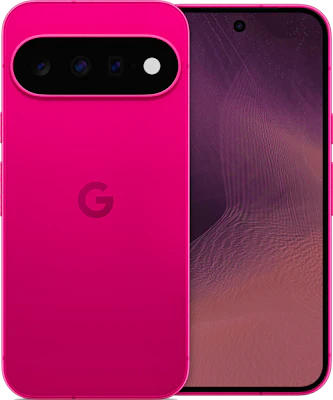
- 6.3" screen
- 48MP camera
- 197g
- 256GB or 512GB
- IP68
- eSIM
2,036 deals from O2 Mobiles, Carphone Warehouse and Mobiles.co.uk
Compare all 2,036 deals


Live prices from the retailers’ feeds, with every price rise they’ve announced. Compare every phone and plan
Samuel Gibbs at The Guardian called it "the best phone you can get under £900", praising the cameras, screen, battery life and update promise while noting raw performance trails rivals. The caveats elsewhere are about speed under heavy load: Expert Reviews found the Tensor G6 behind rival chips, and T3 said it gets a little warm when pushed. For messages, maps, photos and banking, that's unlikely to show.
Marques Brownlee's review puts the regular Pixel 11 beside the Pro models, which is the useful comparison before paying more for the Pro name.
The other half of the decision is the software. Google's UK page leads with Gemini, and if what drives you mad about your current phone is an assistant popping up in the middle of simple tasks, that's worth knowing before you switch. Which Gemini features work in the UK is also a moving target: T3 reported in September that the headline "Gemini Intelligence" features weren't available here yet, while The Guardian described some proactive ones working.
Samsung is the other mainstream route, and the one more people around you will already use. The Galaxy S26 is a compact flagship whose security updates run to 28 February 2033 on Samsung's UK specification page, and Samsung's UK page says its Quick Share now works with AirDrop, which helps if your friends stay on iPhone. Samsung raised its UK price from £879 to £959 in early October without announcing it, as Tech Advisor reported, and TechRadar found it runs hot under heavy load. The finder lists every Samsung on sale, and the Galaxy S26 Ultra if the biggest screen and the best zoom are the point.
I'd pick the Pixel 11 if: you want mainstream Android with a written update promise and a camera that doesn't need fiddling with. The Pro only earns its price if you need what it changes.
What's the cheapest Android phone that's actually good?
If the iPhone's price is what you're escaping, the good news is that the gap below £600 is where Android is strongest. The Pixel 10a has the same seven-year update promise as the Pixel 11, IP68 water resistance and wireless charging, with an older chip and a plainer camera. Google raised its own price by £100 in early October, to £599 for 128GB, as Tech Advisor reported, but Carphone WarehouseCarphone WarehouseCarphone Warehouse is a mobile phone retailer where you can pick up the latest handsets on pay monthly contracts, through upgrades, or on pay as you go. It also stocks a broad rang3 current offers · View store →'s SIM-free price for the same phone was still £399 when I checked on 11 October. TechRadar gave it four stars and called it "proof you don't need big upgrades to make a great phone".
The Samsung Galaxy A57 is the alternative if you'd rather a bigger 6.7-inch screen and Samsung's software. It has IP68 and, on Samsung's UK page, up to six OS upgrades and six years of security updates, but no wireless charging, and TechRadar found its cameras and processor fine rather than impressive. The finder keeps live prices for both, on a plan and outright: the Pixel 10a and the Galaxy A57.
Cheaper Android phones worth a look
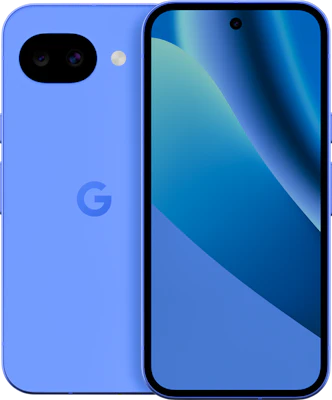 Pixel 10afrom£13/moRises to £15.50 a month from April 2027, then £18 from April 2028£129 upfront · 24 months · £506 in totalVodafone, at Mobiles.co.ukor £599 outright, at Mobiles.co.uk
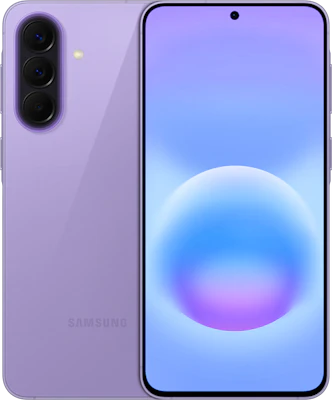 Galaxy A57from£13/moRises to £15.50 a month from April 2027, then £18 from April 2028£295 upfront · 24 months · £672 in totalVodafone, at Mobiles.co.ukor £599 outright, at O2 Mobiles
Live prices from the retailers’ feeds, with every price rise they’ve announced. Compare every phone and plan
For a wider view, the finder can show every phone that isn't an iPhone, cheapest overall first, or those under £20 a month. Its "Help me choose" questions on the phone finder turn a budget and a few priorities into a shortlist.
Bored of phones that all look the same?
 NothingNothingNothing sells its own consumer electronics directly from its UK website, with earbuds, headphones and phones at the top of the navigation. The homepage also shows a separate CMF liBuying guide · View store → exists for exactly this complaint. The Phone (4a) Pro was £519 for the silver 8GB/128GB model on its UK product page when I checked in October 2026, and £579 for 12GB/256GB. Nothing sells it directly, so it isn't in our phone finder; it works on any UK network, and pairs with a SIM-only plan.
The reason to buy it is how it feels to use. The interface looks properly different, and there's the Glyph Matrix, a small display on the back. TechRadar's review gave it four and a half stars, and its reviewer, normally an iPhone user, wrote: "I honestly felt sad going back to my iPhone". The trade-offs are real, though: three years of Android updates and six of security patches (shorter than Google's or Samsung's), IP65 rather than IP68, and no wireless charging.
Marques Brownlee's review puts the Phone (4a) and (4a) Pro on screen together, which shows the styling and interface better than any product render: the test is whether you'd enjoy looking at that rear display every day.
See the Nothing Phone (4a) Pro
 For a different look
Nothing Phone (4a) Pro
For a distinctive interface and rear Glyph Matrix: £519 for 8GB/128GB on Nothing's UK store in October 2026, three years of Android updates and six of security patches.
- Storage
- 128GB on the £519 configuration (256GB is £579)
- Screen
- 6.83-inch AMOLED
- Water resistance
- IP65
NothingCheck price
Nothing leads its UK page with a "140x ultra zoom", and that's the number I'd ignore. Every brand has a big zoom figure, and it says almost nothing about the photos you'll keep. The review's ordinary shots, portraits and indoor pictures are the ones that matter.
I'd pick it if: you've tried the interface and love it. If you only love the hardware, the novelty won't last.
Would you rather fix your phone than replace it?
FairphoneFairphoneFairphone sells modular smartphones built around replaceable parts, along with cases, audio gear and accessories. It suits buyers who want a phone they can repair and keep for longBuying guide · View store → builds phones to be opened. Its Gen. 6 page lists 12 replaceable spare parts, software support until 2033 and six major Android updates, with the Gen. 6 at £519 (8GB RAM, Snapdragon 7s Gen 3) and the Gen. 6+ at £569 (12GB RAM, Snapdragon 7s Gen 4) with the country set to the UK. Both have 256GB plus a microSD slot. Like Nothing, Fairphone sells direct, so these sit outside the phone finder and work with any SIM-only plan.
This is the one I find most appealing, for a practical reason: a failing battery or charging port is a part you can buy, not a reason to start again. iFixit's teardown of the Gen. 6 shows where the battery, screen and USB-C port sit, and its repair guides show what replacing each involves. The video covers the standard Gen. 6.
Compare the Fairphone models
- For long ownership
Fairphone (Gen. 6)
The repairable starting point: 12 replaceable parts and software support until 2033, £519 on Fairphone's UK store in October 2026.
- Storage
- 256GB, expandable by microSD
- Memory
- 8GB
- Processor
- Snapdragon 7s Gen 3
FairphoneCheck price - For more headroom
Fairphone (Gen. 6+)
The same repair-first phone with 12GB memory and the newer Snapdragon 7s Gen 4, £569 on Fairphone's UK store in October 2026.
- Storage
- 256GB, expandable by microSD
- Memory
- 12GB
- Processor
- Snapdragon 7s Gen 4
FairphoneCheck price
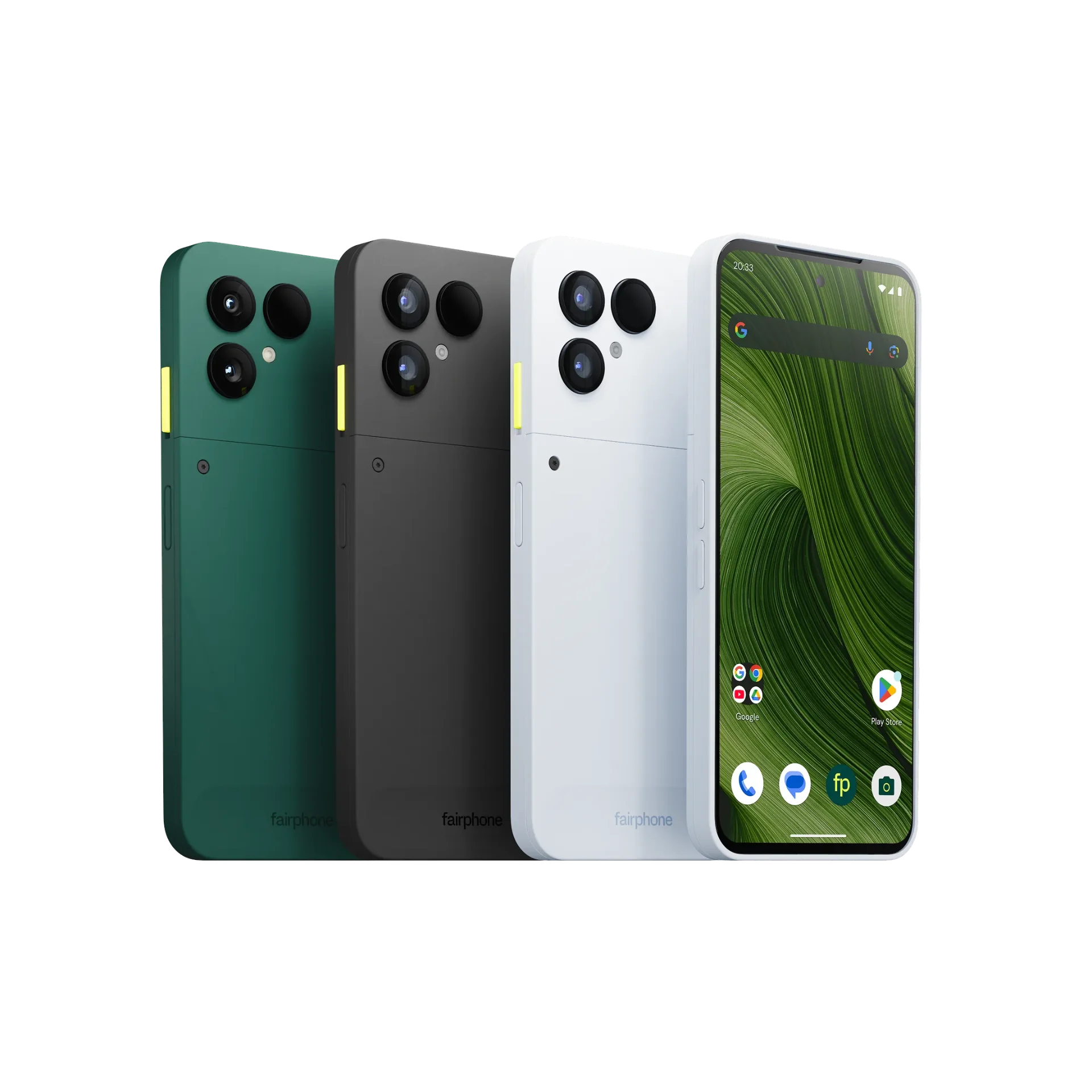
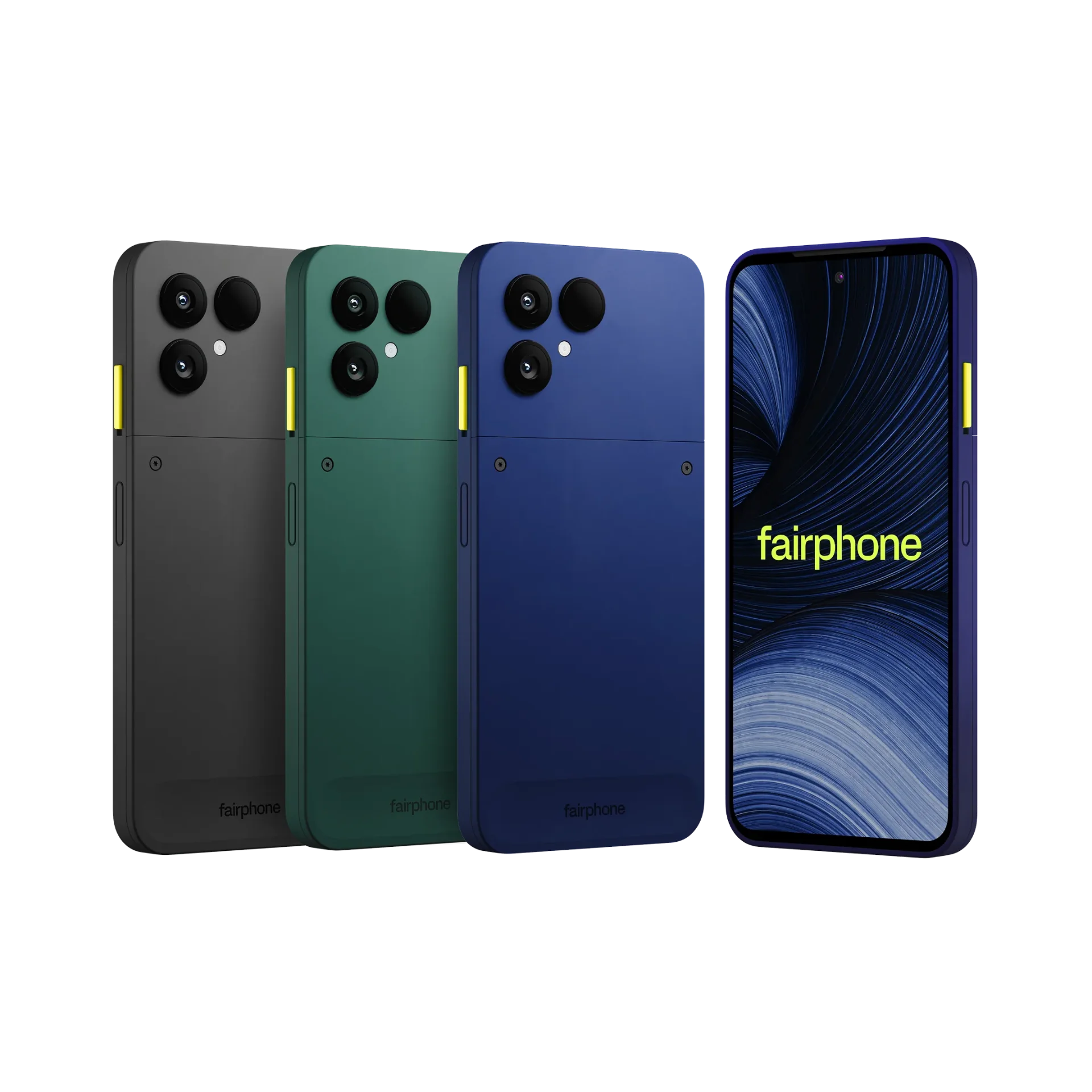
It's not all upside. The spec sheet says IP55 and no wireless charging, and The Guardian's review of the Gen. 6+ found the camera, battery and performance decent but some way from the best for the money, while recommending it to anyone who puts repairability first. Fairphone advertises a five-year warranty; its support pages describe that as two years as standard plus three more when you register the phone.
I'd pick it if: keeping one phone for years matters more than the best camera. A phone supported until 2033 only saves money if you keep it that long.
Will I lose my messages, photos and WhatsApp chats?
Probably not, and it's much easier than it was even a year ago, because Apple now helps you leave. Since iOS 26.3 in February 2026, iPhones have a built-in Transfer to Android option under Settings › General › Transfer or Reset iPhone, which moves photos, contacts, calendars, call history and messages to a phone running a compatible version of Android 17. Google's own route, the Android Switch app or a cable, does the same job from the other side, and Google's help page lists what each method carries. On Android 17 (Pixel 8 and newer, and Samsung's latest foldables), it also moves passwords, passkeys, Wi-Fi networks and iMessage history.
A few things never make the trip: paid apps and in-app purchases, Safari bookmarks and Health data. A few others need their own step.
- iMessage and FaceTime. Both need switching off on the iPhone before it goes in a drawer, or texts from iPhone friends can keep heading to iMessage instead of your new phone. If the iPhone's already gone, Apple's deregister page does it by text code. Android owners can still join a FaceTime call from a link in Chrome, Apple says.
- WhatsApp. Chats now move over Wi-Fi with no cable, using the same number, from WhatsApp's Chats › Transfer chat history on the iPhone, according to WhatsApp's help page. It has to happen before WhatsApp is set up on the new phone, because the two histories can't be merged afterwards.
- iCloud Photos. Photos stored only in iCloud don't come across in the phone-to-phone transfer. Apple's data transfer service sends a copy of the whole library to Google Photos instead; it takes three to seven days and needs enough Google storage to land in.
- Passwords. Apple's Passwords can be exported as a file and imported into Google Password Manager, which Google's help covers. The file isn't encrypted, so it's worth deleting once the import is done.
- Your eSIM. This is where networks differ most. EE is the only UK network Apple lists for moving an eSIM inside its transfer tool.
 O2O2 MobilesO2 sells phones, SIM-only plans, tablets, smartwatches and accessories directly from its own shop, so you can compare handsets and tariffs in one place. Delivery and collection optBuying guide · View store →'s eSIM page says it doesn't yet move eSIMs from iPhone to Android, so it issues a replacement; Vodafone and Three also send a new one. Banking and authenticator apps are worth moving while the old phone still works.
Group chats with iPhone friends are less of a worry than they used to be. Messages between iPhones and Android phones now go by RCS, with typing indicators and full-quality photos, and since May 2026 they can be end-to-end encrypted in beta. Apple's UK carrier list showed encrypted RCS on EE, Three and BT in September, plain RCS on O2, giffgaff and Tesco Mobile, and no RCS at all for iPhones on Vodafone, so a Vodafone friend's messages may still arrive as SMS.
People who've made the move tend to report the same mix. One long-time iPhone owner who tried a Pixel 10 wrote on r/GooglePixel in April that notifications and the keyboard were better and the fingerprint reader was as quick as Face ID, while the Apple Watch was what stopped them going all in. Pete Matheson's video, in which lifelong iPhone users spend time with five Android phones, is a fair picture of the friction: setup prompts, bloatware and wallet hiccups as well as better screens and cameras.
Which part would put you off? The answers help me work out which of these steps deserves a guide of its own.
What happens to my Apple Watch and AirPods?
The Apple Watch is the hard stop. It needs an iPhone to pair, and Apple's compatibility page lists only iPhones, so a move to Android means a new watch too, which belongs in the sums. AirPods keep working as ordinary Bluetooth earphones; Apple says you lose Siri but can still listen and talk, and the automatic device switching and setup tricks stay in Apple's world. AirTags can't be set up or tracked from an Android phone, though Android's own unknown tracker alerts will flag someone else's AirTag travelling with you.
Apple's subscriptions mostly follow you. Apple Music has an Android app, and so does Apple TV, with subscriptions paid through Google Play.
Is a contract cheaper than buying the phone outright?
This is where switching decisions most often go wrong, because the number on the advert is the monthly one and the number that matters is the total. Our phone finder adds up every plan over its whole length, the upfront payment and every price rise the retailer has announced included, and the Pixel 11 shows why that's worth doing.
On 11 October 2026, the Pixel 11's lowest monthly plan in our finder was £13 a month on Vodafone at Carphone WarehouseCarphone WarehouseCarphone Warehouse is a mobile phone retailer where you can pick up the latest handsets on pay monthly contracts, through upgrades, or on pay as you go. It also stocks a broad rang3 current offers · View store →, with £459 upfront over 24 months and rises to £15.50 a month from April 2027 and £18 from April 2028: £831 in total. The plan with the lowest total that day cost more each month and less overall: £25.99 a month on iD Mobile with 25GB of data, also at Carphone Warehouse, with £29 upfront and rises to £27.79 from April 2027 and £29.59 from April 2028, £695.96 over the two years. Buying the same phone outright was £779, and the cheapest 24-month SIM-only plan the finder listed, 20GB on iD Mobile at £6 a month with no rise announced, would have added £144: £923 in all.
| Pixel 11 in our phone finder, 24 months (11 October 2026) | Upfront | Monthly | Two-year total |
|---|---|---|---|
| Lowest monthly price (Vodafone) | £459 | £13, rising to £15.50 then £18 | £831 |
| Lowest total cost (iD Mobile, 25GB) | £29 | £25.99, rising to £27.79 then £29.59 | £695.96 |
| Outright, plus 20GB SIM-only (iD Mobile) | £779 | £6 | £923 |
So that week, the plan with the higher monthly price was the cheapest of the three ways to own a Pixel 11 for two years, by £227 against buying it outright. That won't hold for every phone or every week, which is exactly why the total is the figure worth reading. Buying outright still wins on freedom: no credit check, no contract, and the option to move to a cheaper SIM whenever you like. The finder can sort every phone that isn't an iPhone by lowest total cost, or show SIM-free prices only.
The rules help here too. Since 17 January 2025, Ofcom has required any price rise written into a new phone contract to be set out in pounds and pence at the point of sale, which is why the finder can count them. Phones sold in the UK have had to be unlocked since December 2021, and keeping your number is a free text: PAC to 65075, with the switch done within one working day, as Ofcom's switching guide explains.
Trade-in value is the figure I'd leave out until someone has actually checked your old iPhone against the retailer's terms. A headline trade-in price is the best case, and setting it against a real price flatters the deal.
Should you wait for Black Friday?
If your iPhone still works, there's no rush, and the first deal you see is rarely the one to take. A note of today's price for the exact model and storage you want gives you something to measure later "deals" against, and our Black Friday 2026 guide explains how to tell a real saving from a reshuffled one. The October price rises at Google and Samsung make that note more useful than usual: a "Black Friday price" that only undoes a rise from six weeks earlier isn't much of a deal. Nobody can promise a discount that hasn't happened yet, me included.
A dying phone changes the sum. Waiting two months for a saving that might never come is a bad plan when the phone you rely on keeps cutting out, and a repair or something available now is the better call.
The boring checklist that saves your weekend
Most switching disasters happen in the week after, when the old phone has already been wiped. The order that avoids them is simple: check that photos, messages, contacts and app logins really arrived; turn off iMessage and FaceTime; move banking and authenticator apps while the old phone still opens them; and only then wipe or trade in the iPhone. Being locked out of your bank app on a Sunday is a miserable way to start a new phone.
The keyboard and accessibility settings deserve ten minutes too, because you'll use them far more than anything on the spec sheet. And if the real goal is less time looking at a screen, a new hands-on hobby might do more for you than another gadget promising to sort your life out.
Questions people ask
Is it worth switching from iPhone to Android?
It's worth it when there's a specific thing you want to fix, such as the price, the sameness or repairability, and an Android phone that fixes it. If your iPhone works and nothing about it bothers you day to day, switching costs time and possibly an Apple Watch, so keeping it is the cheaper choice.
Which Android phone is most like an iPhone?
The Google Pixel 11 is the closest, because Google makes both the phone and the software, updates arrive first and the seven-year update promise is written down. Samsung's Galaxy S26 is the other mainstream choice, and its Quick Share now works with AirDrop.
Which Android phones get seven years of updates?
Google's Pixel 11 and Pixel 10a both get seven years of OS and security updates, counted from when each model first went on sale in the US. Samsung's UK specification page runs the Galaxy S26's security updates to 28 February 2033, and the Galaxy A57 gets up to six OS upgrades and six years of security updates. Nothing promises six years of security updates for the Phone (4a) Pro, and Fairphone supports the Gen. 6 until 2033.
Will I lose my photos and messages if I switch to Android?
Not if you move them before wiping the iPhone. Apple's Transfer to Android tool (iOS 26.3 and later) and Google's Android Switch app both move photos, contacts and messages, and Apple's data transfer service copies iCloud Photos to Google Photos. WhatsApp chats move separately, over Wi-Fi, before WhatsApp is set up on the new phone.
Can I use AirPods and an Apple Watch with Android?
AirPods work as Bluetooth earphones, without Siri. An Apple Watch doesn't: it needs an iPhone to pair, so leaving iOS means replacing it.
Can I keep my number when I switch?
Yes. Texting PAC to 65075 gets you a code that keeps your number, and the new provider has to complete the switch within one working day. If you're staying on the same network and only changing phone, you keep the number anyway.
What's the cheapest good Android phone in the UK?
The Pixel 10a is the one I'd start with, because it has the same seven-year update promise as Google's flagship. Google charges £599 for it since October, but retailers were selling it for £399 SIM-free on 11 October, and the phone finder shows its live prices.
So which would I go for?
The Pixel 11 if you want Android that behaves like an iPhone without being one. The Pixel 10a if price is the point, as long as you can get it near £400 rather than Google's £599. NothingNothingNothing sells its own consumer electronics directly from its UK website, with earbuds, headphones and phones at the top of the navigation. The homepage also shows a separate CMF liBuying guide · View store → if you want a phone that looks and feels different on purpose, and FairphoneFairphoneFairphone sells modular smartphones built around replaceable parts, along with cases, audio gear and accessories. It suits buyers who want a phone they can repair and keep for longBuying guide · View store → if you'd rather repair than replace. Whichever it is, the complaint that started all this is the test to hold every option against, because it's very easy to get distracted by a nice colour.
When you're ready to price it up, the phone finder compares every plan's full cost, and its "Help me choose" questions turn a budget and a few priorities into a shortlist. If you're keeping your phone and only changing the bill, the SIM-only page does the same for plans on their own. And if, after all this, you'd rather stay with Apple, my iPhone 18 Pro and Duo guide compares where to buy the new ones.
BallparkA daily price game
Higher or lower?
Eleven things from UK shops, the same for everyone today. Does each cost more or less than the one before? Ten quick calls.