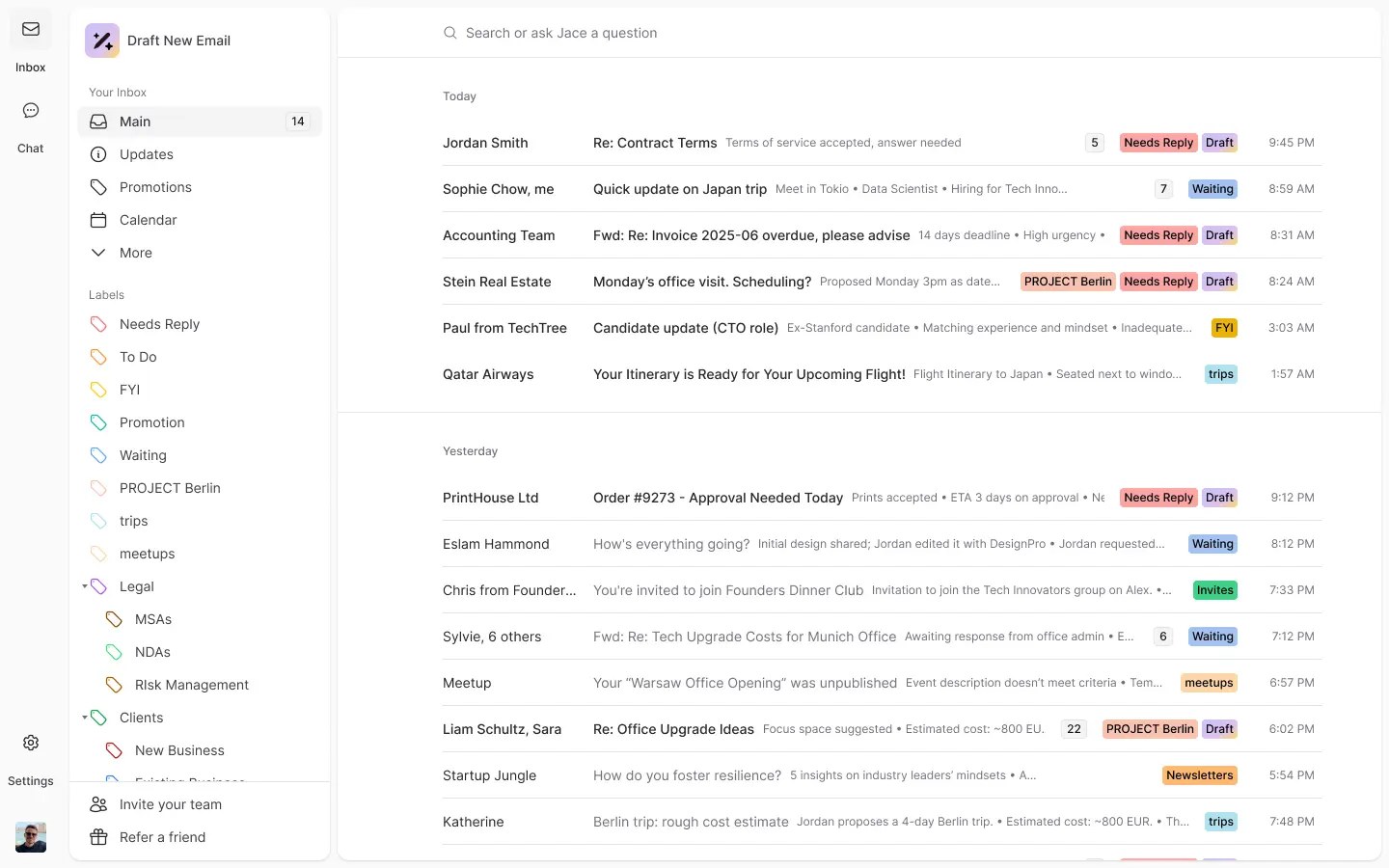
The product
Jace connects to your Gmail or Outlook account and works inside the inbox you already use. It reads your past sent mail to learn how you write, labels incoming messages by type and priority, and prepares a draft for the ones that need a reply. You review each draft and send it, and nothing goes out on its own unless you switch on auto-send.
What it does
Beyond drafts, Jace has smart rules that can copy in a colleague, apply a template or choose a sign-off depending on who you are writing to. Its chat lets you ask about your business and your mail, find a file or have it complete a task. Integrations let it pull context from tools such as Slack and your documents into a reply.
The company
Jace is run by Zeta AI and was founded in 2023. Its team describes a small group of engineers and operators with backgrounds at large technology companies, building an email agent that finds context and drafts in your voice. The company says it takes security seriously and publishes its compliance claims on its site.
Pricing
Jace is billed in US dollars and has no free-forever plan. Plans are based on monthly credits and the number of inboxes you connect, with a cheaper-per-month yearly option and a free trial on the paid tiers. Credits reset each billing period, so how far they stretch depends on how much mail you handle. See their pricing page for current plans.
Saving
Paying yearly is the main saving the maker states. Using the free trial first shows how quickly your own mail uses credits before you commit. Any live code or deal is listed on this page, and you enter it at Jace's checkout.
Who it suits
It suits busy professionals and small teams who answer a lot of email and want to stay in Gmail or Outlook. If you want a brand new email app rather than an assistant inside your current one, a different tool may fit better.