
Free
Free
- Up to 5 private lists and 5 shared lists
- Up to 5 people in shared lists
- Unlimited tasks and notes
- Repeating tasks, reminders and task messages
- 25MB uploads and 500MB storage
- macOS, iOS, Android and web
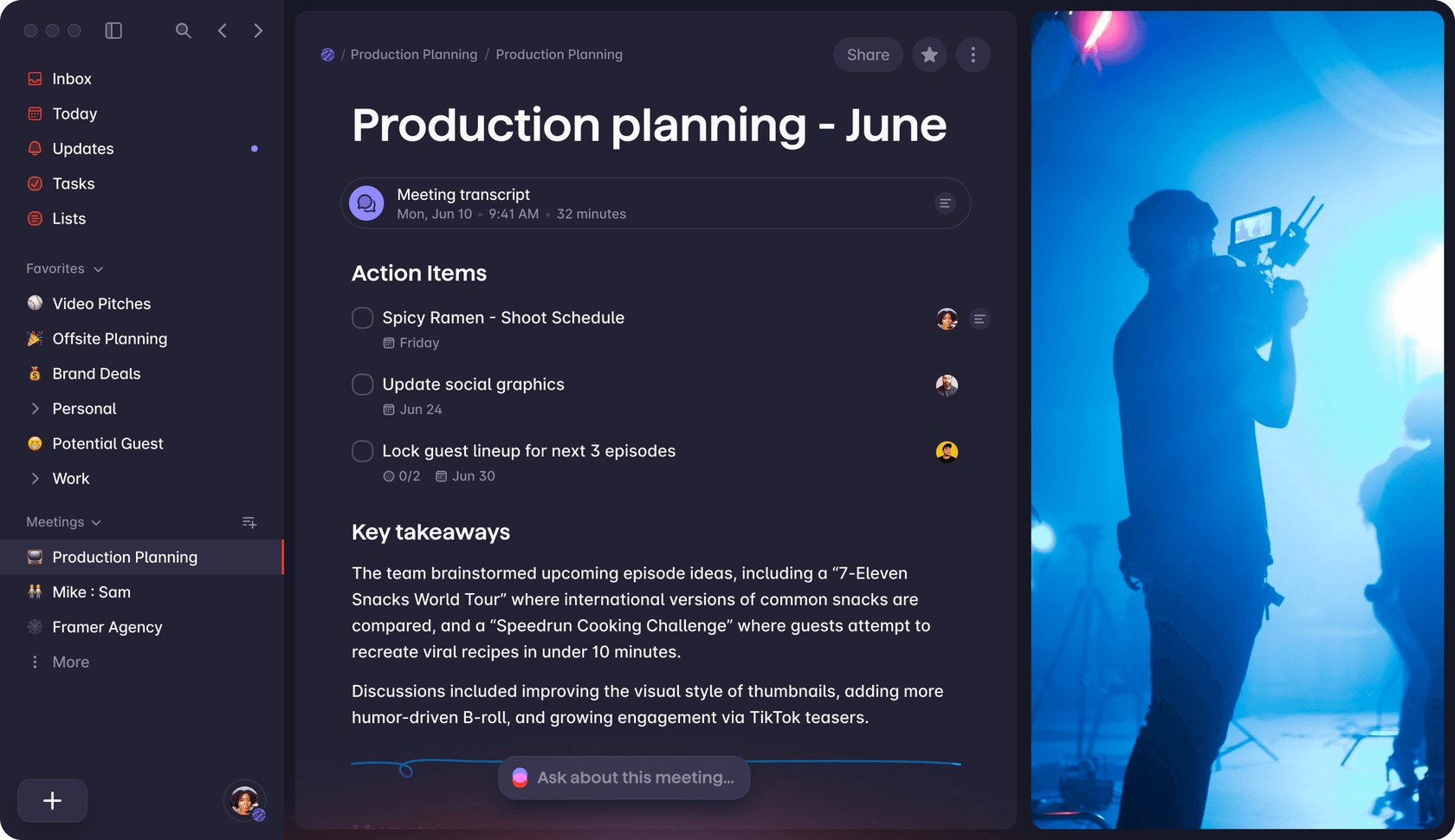
Meeting notes turned into action items

Productivity, notes & research
To-do list and notes app with shared lists, voice capture and bot-free AI meeting notes that turn calls into tasks
Superlist has a free plan. Prices in US dollars as Superlist's pricing page showed them on 11 October 2026.
Vouchernaut may earn commission when you sign up through links on this page. It never changes what we say about a product or the order we list them in.
This is Superlist, a Berlin-based to-do list and notes app from the team behind Wunderlist. You get tasks and notes in one place, shared lists and AI meeting notes on Mac, iPhone, Android and the web.
Lists mix free-form notes with tasks, so context sits beside the to-dos. Tasks nest into unlimited subtasks and sublists, and lists can have cover images and emojis.
Typing something like call Sarah tomorrow at 3pm sets the due date without menus. Tasks can repeat daily, weekly, on weekdays, monthly or on a custom schedule, with reminders across devices.
On Super, meetings are captured from any app without a bot joining, then turned into a summary, action items with assignees and due dates, and a transcript you can chat with. Language is detected automatically.
Speak a stream of thoughts and Superlist turns it into tasks, reminders, notes or a project outline, filed in the right list. Included from the Basic plan.
Real-time editing, assignees, chat inside tasks and shareable lists for teams, families and guests. Paid plans remove the limits on lists and members.
Connects to Gmail, Google Calendar, Slack, Linear, GitHub and email forwarding, and on Super summarises emails and Slack messages into tasks. An MCP server lets Claude, ChatGPT and Cursor manage tasks in plain language.
Home screen and lock screen widgets add tasks without opening the app, and everything works offline and syncs later.
Works with
Free
$6a month per person
$59 billed yearly
$25a month per person
$249 billed yearly
Website prices in US dollars per person; the iPhone app charges £6 a month for Basic, £59 a year for Basic and £25 a month for Super. Yearly billing saves 17 to 18%, although the page labels it 20%. VAT, trials and student pricing are not mentioned. Legacy Pro ($15) is closed to new buyers. Prices in US dollars, from Superlist's pricing page on 11 October 2026. Superlist may charge VAT on top, and prices can change.
“Blazing fast application, clean UI and a good mixture of notes and tasks app with reminders.”
“This app has provided me with a tool that is almost perfect; for mapping complex ideas and mapping systems.”
“How can you not edit and delete tags in 2026 on a task app??? Sync is hit or miss”
Superlist comes from Berlin and describes itself as made by the creators of Wunderlist, the much-loved list app that many people still miss. The idea is to keep the speed and simplicity of a plain to-do list while adding the depth of a notes app, so you stop juggling several tools for one day's work.
Tasks and notes live together. You can add notes or details directly to a task, and lists nest as deep as you like, so a big goal breaks down into small steps. Recurring tasks, reminders, widgets and a quick add that takes typed or spoken input are all part of it, and it works offline.
Lists can be shared with family, friends or colleagues, with real-time collaboration, so grocery lists, chores and team projects stay in sync. Its AI features turn voice recordings into action items and summarise meeting notes, and the company says its meeting notes work without a bot joining the call. It also connects to other tools through integrations.
There is a free plan that doesn't expire, with limits on the number of lists and people you can share with. Paid plans lift those limits, add voice and integrations, and a top tier adds the AI meeting notes and chat. Prices are shown in dollars per person on the site, with a discount for paying yearly, so check the pricing page for what you'll actually pay.
It suits individuals who want a tidy personal planner, families sharing lists, and small teams who want tasks and meeting notes in one workspace. If you only need simple lists, the free plan may be enough; the paid tiers make sense once you share widely or want the AI tools.
Start on the free plan, and pay yearly rather than monthly if you upgrade. Any live code is listed on this page: copy it and enter it when you upgrade.
 Discount
AI workspace and cloud drive for notes, files, meetings and bookmarks, with search by meaning and scheduled AI agents
 Free plan
AI notepad that transcribes meetings from your device's audio, with no bot, and turns your rough notes into a full write-up
 Free plan
AI meeting notes, action items and automations for online and in-person meetings, with or without a bot
 Free plan
AI research workspace that searches papers, reads your library and answers with citations to the exact passage
A to-do list app keeps your tasks in one place, synced to every device. Free Apple Reminders or Microsoft To Do is enough for many people; Todoist (£59.99 a year) is the best paid all-rounder, TickTick the cheaper pick and Superlist the one for notes and tasks together.
We don't currently list a confirmed discount code. That doesn't mean the store has no promotions; check its website for current prices.
Yes, there is a free plan that doesn't expire. It has limits on lists and shared people, and paid plans lift them.
It is made in Berlin by a team that includes the creators of Wunderlist. It is a separate app, not a rebrand of Wunderlist.
Yes. Its site lists offline support, so you can keep working without a connection.
Its site lists apps for macOS, iPhone, iPad and Android plus a web app. Windows users can use the web version in a browser.
Yes. You can share lists and collaborate in real time, with the number of people allowed depending on your plan.
Got a question about Superlist?
