The product
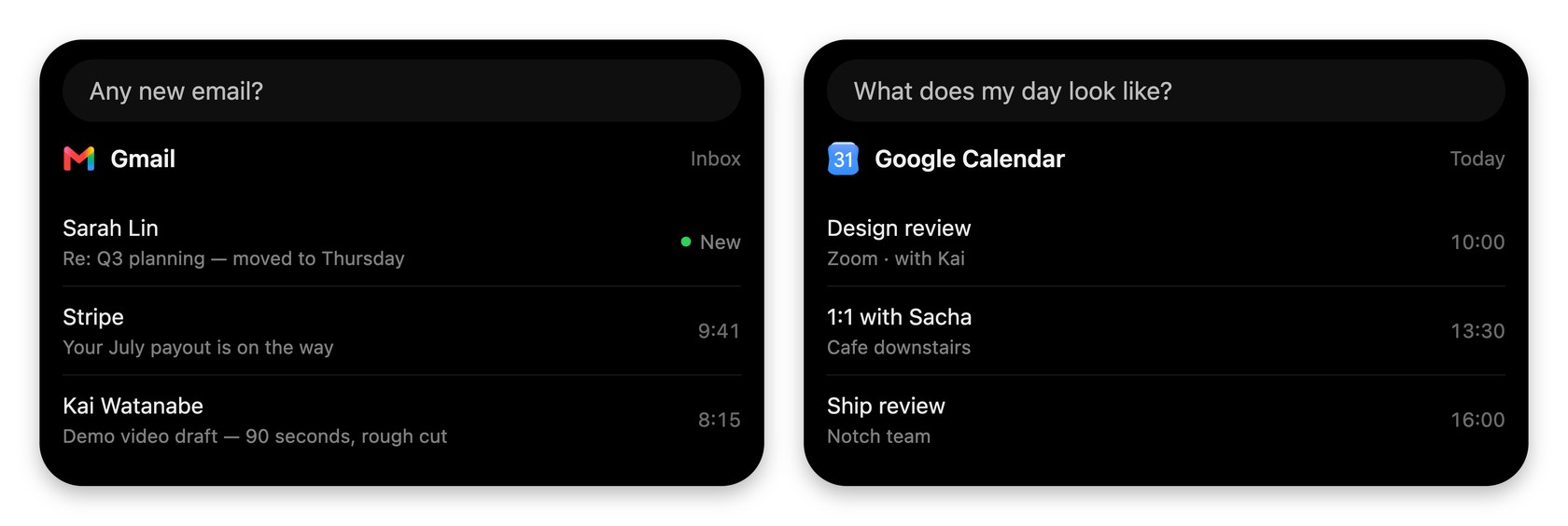
VoiceOS has two modes. Dictation Mode turns speech into clean text in whatever app you are using, removing filler words, fixing grammar and formatting as you go. It supports many languages, custom vocabulary, and editing selected text by voice, so you can fix a sentence without retyping it. Agent Mode takes a spoken request and does it: sending an email, replying to a message, scheduling a meeting, finding a file or setting a reminder.
The idea
VoiceOS says voice should become a layer across the apps you already use rather than a replacement for the keyboard. Your cursor is the context, so you can point at something on screen and ask about it. Its founders, Jonah Daian and Kai Brokering, say the aim is to remove the friction between intent and action.
Who it suits
It suits people who write a lot, live in email and chat, or want to hand small admin jobs to their voice. If you only want transcription, a plain dictation app may be enough. The extra value is in Agent Mode, which asks for confirmation before doing anything important.
Privacy
VoiceOS says your audio is never stored on its servers or used to train models, and that transcripts can be kept on your own device. Optional diagnostics sharing is separate and off the audio itself.
Pricing
New accounts start with a free trial of Pro, and a card is required to begin it. After that you pay monthly or annually, with annual billing working out cheaper. Students and builders can apply for a discount on Pro, and Enterprise is priced on request. Current prices are on its pricing page.
Saving
Any live code is listed on this page: copy it and enter it at VoiceOS checkout. Check whether it applies to the plan and billing period you pick.