Valve used to make one gadget most people cared about. Now it makes four. There's the Steam Deck handheld, the Steam Machine for under the telly, the Steam Frame headset and a new Steam Controller. They all sit on the same store page, as if you're meant to buy the lot.
You're not, really. Each one fixes a different problem, and most people only have one of those problems. Maybe your gaming time vanishes because the PC is upstairs and everyone else is on the sofa. Maybe you've always wanted proper VR. Whichever it is decides which box is worth the money, and it's rarely all four.
What is Valve's Steam hardware?
Valve runs Steam, the PC games store and library, and it now sells four devices that play from that same library. The Steam Deck is a handheld with its own screen and controls. The Steam Machine is a small SteamOS computer that sits by the telly. The Steam Frame is a wireless VR headset that streams from a PC or runs some games on its own, and the Steam Controller is a gamepad with trackpads and gyro aiming.
Why is everyone talking about it now?
Because the Machine, the Frame and a new Controller have joined the Deck, and their UK prices are now out: £879 upwards for the Machine and, by Valve's launch prices, £889 upwards for the Frame.
Why should you care before you buy?
Because the bill adds up fast and most people only need one. The top Machine with a controller in the box is £1,208, the Frame needs a charger Valve leaves out, and neither has a delivery date yet. Sometimes a dock, a long cable or the gamepad you already own fixes the same problem for far less.
The short answer: for most people it's the Steam Deck OLED, because it gets round a busy telly without a headset or a new computer. The Machine is for a PC that's in the wrong room, the Frame is for people with a gaming PC who want VR, and the Controller is the small buy for mouse-led games played from the sofa. All four are sold through  SteamSteamSteam is Valve's PC games store and library, selling full games, DLC, in-game items and some Steam hardware through one account. It is a useful first stop for PC gamers who want puBuying guide · View store →, which sits with the other shops on our gaming page.
So this is a quick tour of the lot: what each one is for, where it falls short, and the cheaper fix that sometimes means you don't need it at all.
Four devices, four different problems
They all play the same Steam library, so on paper they overlap a lot. In real life, each one suits a different moment in your day. It's easier to see side by side.
| If what you want is… | The one to look at | The question that decides it |
|---|---|---|
| Playing away from the desk, without a headset | Steam Deck | Do your five most-played games work well on Deck? |
| A gaming computer that lives by the television | Steam Machine | Could your current PC, or a docked handheld, already do it? |
| VR, or a giant virtual screen | Steam Frame | Is there budget for the headset, and a computer if you need one? |
| Steam that's comfy from the sofa | Steam Controller | Does the gamepad you already own do the job? |
Our Steam store guideSteamSteam is Valve's PC games store and library, selling full games, DLC, in-game items and some Steam hardware through one account. It is a useful first stop for PC gamers who want puBuying guide · View store → covers buying straight from Valve, how hardware refunds work and the other practical bits.
The Steam Deck is still the one most people want
The Deck isn't really about power. It's about when you get to play. With a handheld, you can play while someone else has the telly, and put it down mid-level when dinner's ready without unplugging anything. Most of us don't lose gaming time to low frame rates. We lose it to the living room being busy, and the Deck gets round that.
The OLED model is the current one. Valve's OLED model page lists a 7.4-inch HDR OLED screen at up to 90Hz, Wi-Fi 6E and a 50Wh battery. It also has suspend and resume, room to add storage and a way to plug into a bigger screen. Battery life depends a lot on what you're playing, so Valve's figure is a range, not a promise.
Whether it's worth it comes down to your games, not how big your library is. Valve gives games one of four Deck ratings: Verified, Playable, Unsupported or Unknown. Playable can mean fiddling with a few settings. Unknown just means nobody's checked the game yet. It doesn't mean it failed.
What really matters is the handful of games you keep going back to, not the hundred sitting in your backlog. If two or three of those are awkward on a small screen, the Deck probably isn't for you. Text that's too small to read and controls made for a keyboard are what make a game awkward on a handheld.
See the Steam Deck OLED
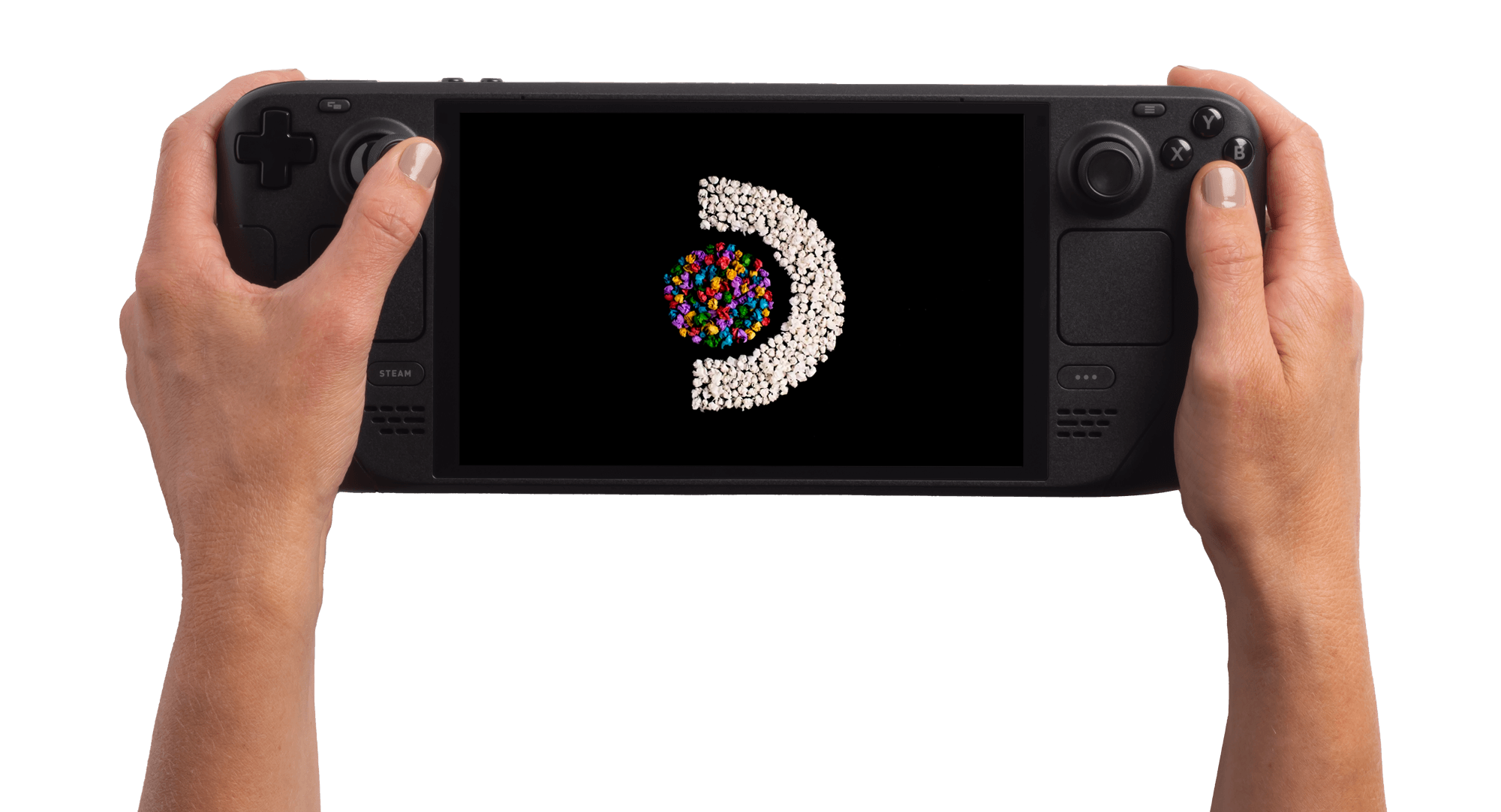 Handheld
Steam Deck OLED
The handheld choice when your games work well on Deck and playing away from the desk is the point.
- Use
- Handheld PC gaming
- Display
- 7.4-inch HDR OLED, up to 90Hz
- Check
- Deck Verified status of your own games
SteamCheck price
The Steam Machine is for when the computer's in the wrong room
The Deck moves you. The Machine moves the computer. The Steam Machine is a small SteamOS box that lives by your TV or monitor. Your games are there when you sit down, instead of on a PC in the spare room that nobody can be bothered to carry downstairs.
Inside, Valve lists a six-core Zen 4 CPU, an RDNA 3 GPU, 16GB of system memory and 8GB of graphics memory. The controller receiver is built in. UK prices are now out: £879 for the 512GB model and £1,149 for 2TB. With a Steam Controller in the box, it's £938 and £1,208. For now there's only a waitlist, so there's no way of knowing when one would arrive.
That's a lot to pay for convenience, and you might already have some of it at home. A compatible dock, or a long cable from the PC you already own, can give you much the same evening on the sofa for far less. The Machine is worth it when you want a computer that stays by the telly and just works. Your Steam library comes with you, but the games you actually play still need to run well on SteamOS.
See the Steam Machine
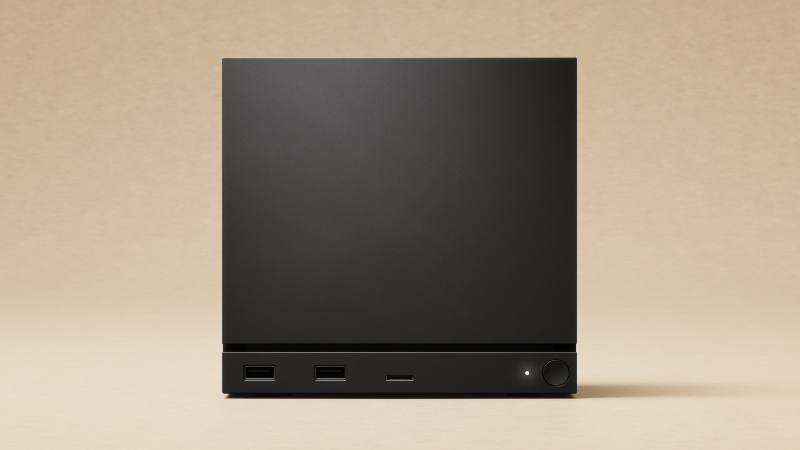 TV and desk
Steam Machine
A dedicated SteamOS computer for the TV or desk; compare it with a dock or the PC you already own.
- Use
- SteamOS PC for TV or monitor
- Processor
- Six-core Zen 4 CPU
- Memory
- 16GB system and 8GB graphics
SteamCheck price
The Steam Controller is the small buy with a specific appeal
The Steam Controller is the least exciting of the four. It's also the most interesting if you play games made for a mouse. It has trackpads, gyro aiming and back buttons you can set up how you like. A little puck handles the wireless connection and charges it with a magnet. Valve also lists Bluetooth and USB, and a feature called Grip Sense that turns the gyro on when you hold the pad.
Those extra controls are the whole point. If most of your games were made for a mouse, the trackpads and gyro might be what finally makes them work from the sofa. If you're already happy with a normal pad, the extras probably won't change much.
It isn't a controller for every console. How well it works elsewhere depends on the platform, and Valve's own compatibility information spells that out. Custom layouts take some setting up, too. Steam already lets you set up the pad you've got, so you can find out for free whether you'd use the extra controls.
See the Steam Controller
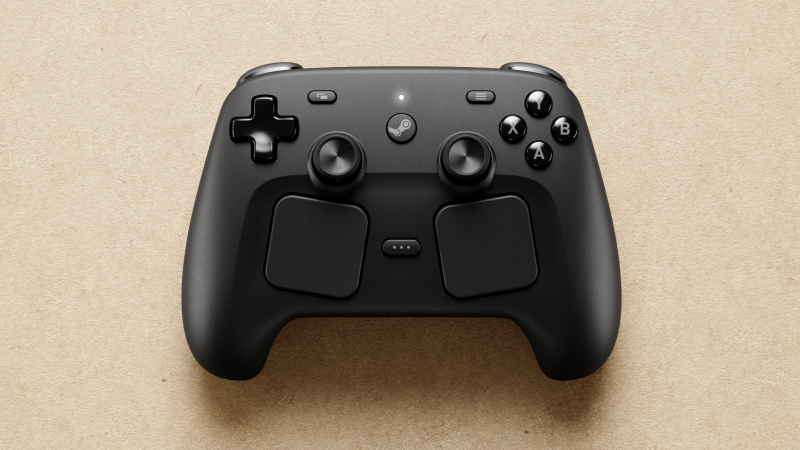 Sofa controls
Steam Controller
Trackpads, gyro and back buttons for a sofa setup; check whether your existing gamepad already does the job.
- Use
- Steam gaming from a sofa
- Inputs
- Trackpads, gyro and back buttons
- Connection
- Wireless puck, Bluetooth or USB
SteamCheck price
The Steam Frame is brilliant for VR and pricey for anything else
With the headset, the big question isn't which model. It's whether you want VR at all. The Frame can stream games from your PC or run some games on its own, and Valve keeps a separate Standalone Verified list for those. If VR is what you're after, it's exciting. As a way to play normal games on a big virtual screen, it's a very expensive one.
Our full UK Steam Frame guide covers the waitlist, the two storage sizes and the charger Valve leaves out of the box. The Frame and the Machine turn up in a lot of the same promo shots, but owning one doesn't mean you need the other.
See the Steam Frame
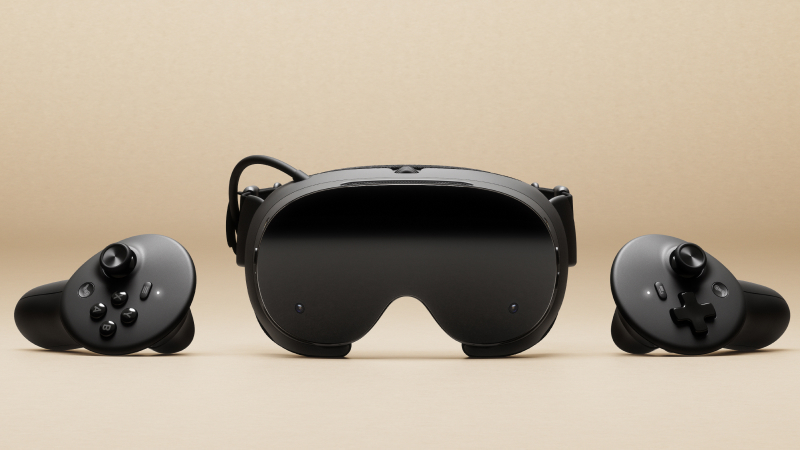 VR headset
Steam Frame
Wireless VR headset for PC streaming or supported standalone games; a costly choice for flat-screen games alone.
- Use
- VR and virtual-screen gaming
- Play mode
- PC streaming or supported standalone
- Storage
- 256GB or 1TB kits
SteamCheck price
Buying one as a Christmas present
Hardware is harder to give than it looks. The things that decide whether it gets used are mostly hidden: what's already in their Steam library, how their room is set up, and whether there's a PC nearby to stream from. The game that comes with the hardware might be one they already own. A delivery date you saw online might be for another country, or a different spot in the queue.
The Machine and the Frame are both on waitlists, so the present might have to be a promise rather than a box. A card saying you'll buy it when their turn comes can be a lovely thing to open. Just not if anyone's expecting it under the tree on the 25th.
Our Christmas hobby-gift guide has ideas that will turn up in time. The Black Friday comparison method is a good way to price up a whole basket. A discounted device buried in extras nobody wanted can be worse value than a full-price one that gets used every week.
Can one Steam purchase work on several devices?
Once a house has more than one of these, this question comes up fast. Signing in to your Steam account brings your library with you, as long as each game works on that device and you stick to Steam's account rules. It doesn't mean every game runs equally well everywhere. And one copy doesn't let you play on several devices at the same time.
Is a dock worth buying with the Deck?
A dock is the easiest thing to add to the basket for no real reason. It's worth it if you'll use its screen outputs or ports, which depends on your TV or monitor, your other kit and how much power you need. Bought just to finish the set, it usually ends up as a very expensive place to leave a cable. If the headset is the one you're weighing up instead, our Steam Frame guide works through the waitlist and the full cost.
BallparkA daily price game
Higher or lower?
Eleven things from UK shops, the same for everyone today. Does each cost more or less than the one before? Ten quick calls.