
20%off
20% off your first 12 months of Cal.com
Deal
Terms and conditions
New Cal.com customers who sign up through our link get 20% off for their first 12 months. It's applied automatically: no code needed.
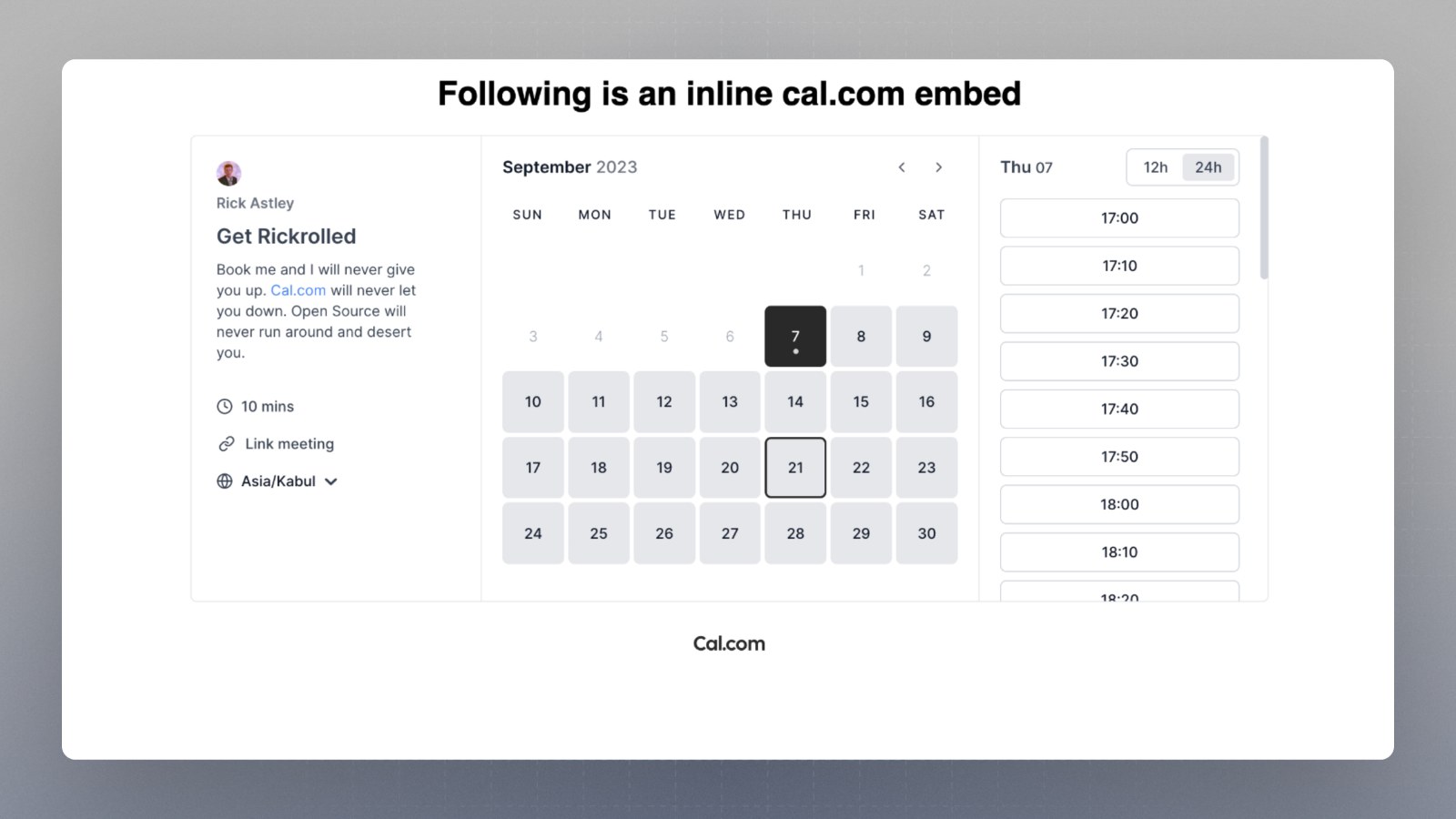
A booking page embedded on a website

Scheduling app with booking links, calendar sync, reminders, payments and team routing, free for individuals
Cal.com has a free plan and a 14-day free trial. Prices in US dollars as AdCal.com's pricing page showed them on 11 October 2026.
20%off
Deal
New Cal.com customers who sign up through our link get 20% off for their first 12 months. It's applied automatically: no code needed.
Cal.com is a scheduling app that turns your availability into a booking link, checks your calendars for clashes and sends reminders. It suits freelancers, coaches, sales and support teams and larger companies with security needs. Individuals can use it free with unlimited event types and bookings. Teams costs $12 per user a month billed yearly or $16 monthly, and annual billing saves 25% on every paid plan.
Each meeting type gets its own short link with set durations, locations, booking questions and limits such as minimum notice, buffers and daily caps. Links can be public, hidden or single-use private links.
Cal.com checks every connected calendar, including Google, Outlook, Apple and Zoho, to avoid double bookings, detects the booker's time zone and supports several availability schedules with date overrides and holidays.
Round-robin, collective and managed event types share bookings across a team. Routing forms send each booker to the right person using their answers, CRM ownership in Salesforce or HubSpot, or attributes such as region.
Workflows send emails, SMS and WhatsApp messages before or after bookings, cancellations and reschedules. The free plan gets templated workflows; custom ones need Teams.
Bookers can pay upfront through Stripe, PayPal or Cal Pay, which needs no separate account and supports cards and PayPal, with a refund rule set per event.
Booking pages embed inline, as a pop-up or as a floating button on any site. Developers get webhooks, a REST API, OAuth, an MCP server for AI assistants and Atoms, ready-made booking components.
Cal Video is a built-in video call option, so no Zoom licence is needed. Cal.ai is an AI phone agent that calls people to book or confirm appointments, billed by the minute in credits.
Cal.com states ISO 27001, SOC 2 Type II, GDPR, CCPA and HIPAA compliance. Organizations adds SAML single sign-on, SCIM provisioning and role-based permissions.
Works with
Free
For individuals, free forever
$16a month per user
Small teams and start-ups; 14-day free trial
$37a month per user
Larger teams needing control and security; 14-day free trial
Contact sales
Annual pricing, through sales
Prices in US dollars; the page doesn't mention VAT. Yearly billing saves 25%. SMS outside the US and Canada costs credits at Twilio's rate plus an 80% fee. Open source projects can apply for sponsorship. Prices in US dollars, from AdCal.com's pricing page on 11 October 2026. Cal.com may charge VAT on top, and prices can change.
“The user interface is clean, intuitive, and visually appealing.”
“This definitely beats Calendly for the free version. My only concern is the billing and upgrade process.”
“I would seriously think twice about relying on Cal Payments until these issues are properly sorted.”
The free plan costs nothing. Teams is $12 per user a month billed yearly or $16 monthly, Organizations is $28 or $37, and Enterprise is priced on request with annual billing.
The pricing page shows US dollars only and says nothing about VAT, so UK businesses should expect any tax to be worked out at checkout. Teams and Organizations both start with a 14-day free trial. Seats are billed on the highest number of team members during each billing period, so adding someone for a week and then removing them still counts as a seat for that month. Text message reminders are paid separately once you are outside the US and Canada: Teams includes 750 credits per member a month, worth $0.01 each, and UK texts are charged at Twilio's rate plus an 80% processing fee. Free accounts get no credits and have to buy them.
For one person taking bookings, usually yes. The free plan has no limit on event types, connected calendars or meetings, and it includes payments, the mobile app and Salesforce and HubSpot sync.
The limits show up when a second person is involved or when you want automation. The free plan covers one user, keeps Cal.com branding on your booking page and only allows templated workflows, so custom reminder emails and follow-ups need Teams. Round-robin booking, collective events, routing forms and booking analytics are also Teams features. A Trustpilot reviewer described losing editing access to custom workflows after the policy changed to require a Teams plan.
For teams that share bookings, reviewers largely think so. Cal.com scores 4.7 from 427 reviews on Trustpilot and 4.8 from 86 on Product Hunt.
Reviewers most often praise the clean booking page, the number of calendar and video integrations and quick support replies, many of them handled first by an AI assistant. Complaints centre on Microsoft Exchange connections, occasional outages, a billing and upgrade process some find confusing, and recent problems with Cal Pay withdrawals. Teams at $12 a user suits small sales, support or hiring groups that need round-robin and routing. Organizations adds SAML single sign-on, SCIM, sub-teams and a company subdomain, which mostly matters to IT-managed firms.
Cal.com gives individuals more for free and suits teams that want deep control over routing and their booking page; Calendly is the older, better-known name. Cal.com publishes its own comparison page against Calendly and imports Calendly event types in one click.
Reviewers on Product Hunt and Trustpilot often say Cal.com beats Calendly on its free plan, mainly because of unlimited event types and the built-in Cal Video. Two other rivals work differently. Howie is an AI assistant you copy into email threads to arrange meetings, which suits people who dislike sending booking links. Fillout is a form builder with scheduling built in, which suits teams that mostly collect information and book calls as a step in a form.
Only partly. In April 2026 Cal.com moved its commercial code to a closed repository and relaunched the free code as Cal.diy under the MIT licence, for self-hosting at your own risk.
Cal.diy keeps the core scheduling features but drops enterprise features such as single sign-on, organisation controls, workflows and analytics. Cal.com gave security as the reason, saying AI tools make it easier to find weaknesses in public code. Hosted customers keep the same accounts and plans. Some long-standing users on Product Hunt reacted badly to the change, so anyone choosing Cal.com mainly for open source should look at what Cal.diy includes first.
Yearly billing is the main saving: it cuts Teams from $16 to $12 per user a month and Organizations from $37 to $28.

AI scheduling assistant you copy into email, SMS or iMessage to book meetings and manage your Google Calendar
 Free plan
Online form builder with payments, scheduling, PDFs, signatures and workflows, and unlimited seats on every plan

AI email assistant for Gmail and Outlook that labels mail, drafts replies in your style and answers questions about your inbox
A form builder turns your questions into a page people fill in. Tally is the best free Typeform alternative for most people, Fillout suits forms that take payments, book calls or collect signatures, and SmartSurvey keeps survey answers in the UK. Typeform starts at £252 a year plus VAT.
A Calendly alternative is any app that turns your free time into a booking link. If you pay for Google Workspace or Microsoft 365 you may already have one; otherwise Cal.com is the closest free swap, Zoho Bookings the cheapest for teams and Zcal the fullest free plan.
We don't currently list a confirmed discount code. That doesn't mean the store has no promotions; check its website for current prices.
Paid plans are managed from billing settings, which open Stripe's customer portal where the subscription can be changed or cancelled. Cal.com's pricing page and help centre don't publish a refund policy, so it is worth asking support before paying for a year upfront.
Yes. Cal.com connects to Google Calendar, Outlook, Apple Calendar and Zoho Calendar, and adds Microsoft Teams, Zoom, Google Meet or Cal Video links. Some reviewers report trouble connecting older on-premises Microsoft Exchange 2019 calendars.
Cal.com says it is GDPR, SOC 2 Type II and ISO 27001 compliant, and lists US and EU hosting among its features. Its EU-hosted version, Cal.eu, keeps data within the EU but is on a waitlist and aimed at firms with at least 50 users.
Yes. The Cal.com Companion app is free on iPhone and Android, with browser extensions for Chrome, Safari, Edge and Firefox and desktop apps for Mac, Windows and Linux.
Yes, on every plan. Bookings can be paid through Stripe or PayPal, or through Cal Pay, Cal.com's own option processed by Whop, which charges 2.3% for cards and adds no commission of its own.
Cal.ai, the AI agent that makes and takes scheduling calls, uses credits at 29 credits a minute, which is $0.29 a minute. Teams members get 750 credits a month and Organizations members 1,000.

